

Both are good platforms. The difference that really matters is who takes care of the infrastructure once your store starts to grow.
If you are deciding between Shopify and WooCommerce, here is the short answer up front: for most brands that want to sell online and grow, Shopify is the better choice. Not because WooCommerce is bad (it isn’t), but because Shopify already handles the entire infrastructure for you: the software, the servers, security and the capacity to absorb sales spikes. You can get one order today and a thousand tomorrow without changing a thing.
WooCommerce is still a great tool when you already run a WordPress site, have a technical team to look after it, or have very specific requirements. Below we walk through how they differ, what each one really costs, and when one makes more sense than the other.
The main difference: infrastructure
Shopify is an all-in-one platform (software as a service, or SaaS). You pay a monthly subscription and Shopify takes care of hosting, servers, the SSL certificate, updates, checkout and payment security. You focus on selling.
WooCommerce is a free WordPress plugin. It turns a WordPress site into an online store, but everything around it is on you: choosing and paying for hosting, installing and updating WordPress, picking a theme, adding plugins, running backups and keeping the site secure.
That difference shows up most when sales grow. On a WooCommerce store, a traffic spike (a campaign that took off, Black Friday, a mention on social media) can push the server past its limits, and you end up upgrading your hosting in a hurry. On Shopify that scenario is already planned for. To give you a sense of scale: over the 2025 Black Friday Cyber Monday weekend, Shopify merchants sold 14.6 billion dollars, peaking at 5.1 million dollars per minute, according to figures Shopify published.
That is why it is used by first-time founders and global brands alike. The small store and the big store run on the same infrastructure; what changes is the plan.
What Shopify is
Shopify is a platform for building and running online stores. From a single admin you manage products, inventory, orders, customers, discounts, shipping, reports and even your physical store if you use point of sale.
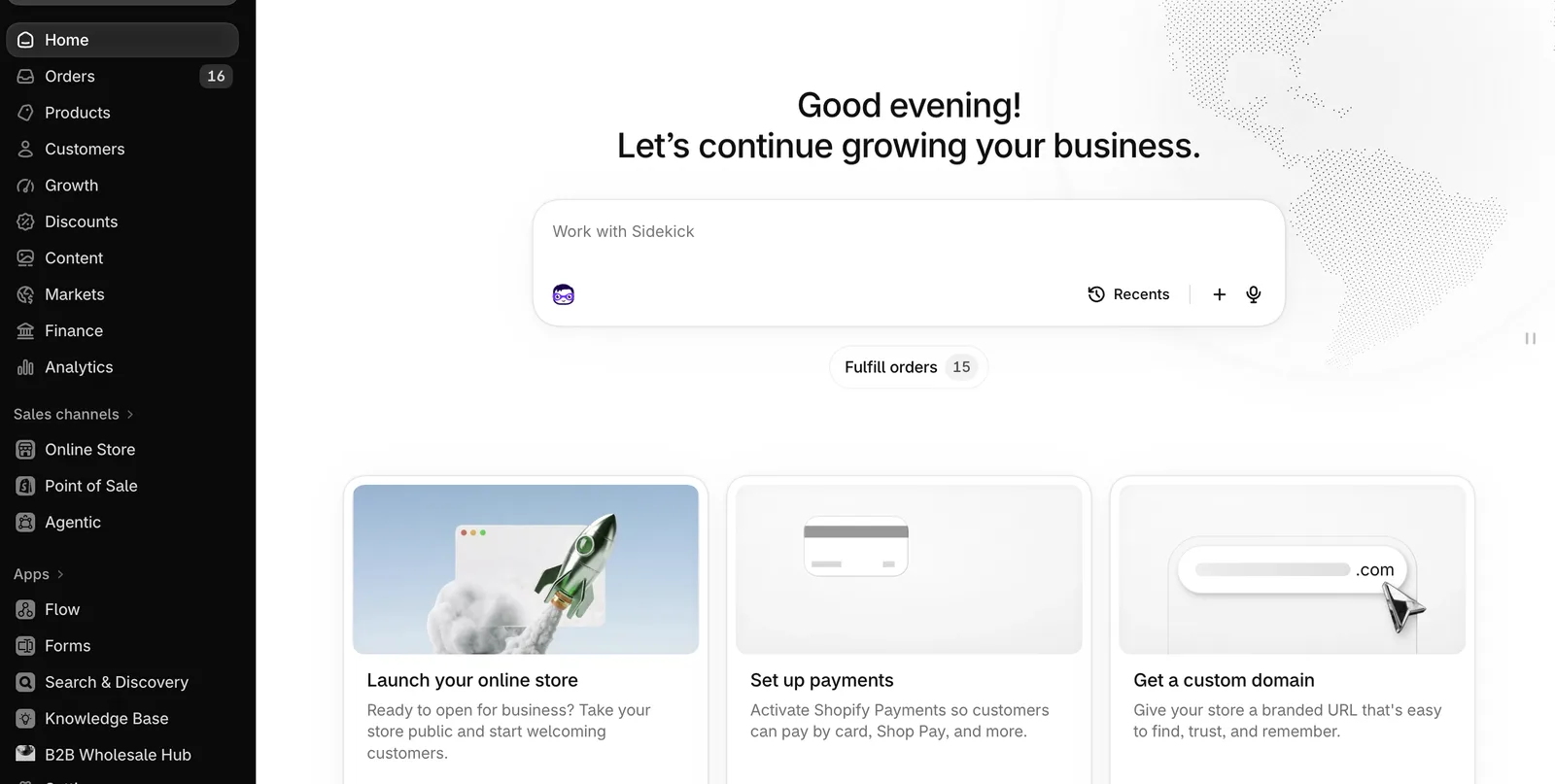
What our clients value most:
- Everything in one place. You don’t depend on ten different plugins getting along with each other.
- An optimized checkout. Shopify’s checkout is one of the most battle-tested in ecommerce and includes Shop Pay, which saves customer details so they can buy in one click.
- Connected sales channels. From the same admin you can sell on Facebook and Instagram, Google and YouTube, and in AI assistants like ChatGPT, where Shopify already surfaces products from its stores.
- A huge app ecosystem for reviews, email marketing, loyalty programs and almost anything else you need.
- 24/7 support directly from Shopify.
What WooCommerce is
WooCommerce is an open-source plugin that runs inside WordPress, the system behind a large share of the world’s websites. It is free to download and gives you full control: you can modify the code, host it wherever you want and connect it to almost any system.
What people value most about WooCommerce:
- Full control of the code and the data. The site is yours and lives on the server you choose.
- Content and store in one place. If your business relies heavily on a blog or editorial content, WordPress is excellent at that.
- No platform subscription. The plugin has no monthly fee (although, as you’ll see below, the store itself does have costs).
- Thousands of extensions, free and paid.
Shopify vs WooCommerce at a glance
| Shopify | WooCommerce | |
|---|---|---|
| Platform type | All-in-one (SaaS) | WordPress plugin (open source) |
| Hosting and servers | Included | You buy and manage them |
| Security and SSL | Included | Depends on your host and plugins |
| Handling sales spikes | Automatic | You upgrade the server |
| Updates | Handled by Shopify | Handled by you (WordPress, theme and plugins) |
| Checkout | Optimized, with Shop Pay | Configurable, depends on your plugins |
| Code customization | High in the theme, limited in the core | Complete |
| Support | 24/7 from Shopify | Forums, your host or your agency |
| Upfront cost | Monthly subscription | Free plugin, but you pay for hosting and extensions |
What each one really costs
Shopify
These are the US prices published on shopify.com/pricing at the time of writing:
| Plan | Billed yearly | Billed monthly | Online card rate | Third-party payment fee |
|---|---|---|---|---|
| Basic | $29/month | $39/month | 2.9% + 30¢ | 2% |
| Grow | $79/month | $105/month | 2.7% + 30¢ | 1% |
| Advanced | $299/month | $399/month | 2.5% + 30¢ | 0.6% |
| Plus | From $2,300/month | Custom | 0.2% |
Shopify usually runs an introductory offer (a free trial and a reduced price for the first months). Always check the official page before you decide, since prices and promotions change. If you sell in Mexico, Shopify bills in Mexican pesos with its own price list; we cover it in detail in the Spanish version of this guide.
On top of the subscription, budget for paid apps and, if you want one, a premium theme. For most new stores, the Basic plan plus a handful of well-chosen apps is enough.
WooCommerce
The plugin is free, but a well-built WooCommerce store does have monthly costs:
- Hosting. This is the big one. Cheap shared hosting doesn’t handle a store well. Managed WordPress hosting such as Cloudways starts at around $14 a month for its smallest server, and a store with real traffic usually needs a bigger plan.
- Domain. Same as with Shopify.
- Premium theme and extensions. Subscriptions, advanced shipping, payment gateways, search filters and other features are often paid extensions with yearly licenses.
- Maintenance. Someone has to update WordPress, the theme and the plugins, check that nothing breaks, run backups and watch security. If you don’t do it yourself, you pay an agency to.
In short: WooCommerce can look cheaper on paper, but once you add quality hosting, extensions and maintenance, the gap with Shopify shrinks a lot, and you carry the technical responsibility.
Hosting providers for WooCommerce
If you go with WooCommerce, hosting is the most important decision you’ll make. A few providers with a good reputation for stores:
- Cloudways: cloud servers (DigitalOcean, Vultr, AWS or Google Cloud) managed from a simple dashboard. It’s the one we use and recommend at Tebiko.
- Kinsta: managed WordPress hosting on Google Cloud, with excellent support.
- WP Engine: managed WordPress hosting focused on businesses.
- SiteGround: a popular option for small and mid-sized sites.
If you’d rather not think about servers at all, we also offer managed WordPress hosting where we take care of everything.
When Shopify is the right choice
Shopify is the better option if:
- Your priority is selling, not managing technology.
- You expect to grow, or you have seasons with sales spikes (Black Friday, holidays, product launches).
- You don’t have an in-house technical team.
- You want to sell across multiple channels (your store, social media, Google, marketplaces, retail) from one admin.
- You want a proven checkout that converts from day one.
- You want to launch quickly: a Shopify store can be ready in weeks, not months.
When WooCommerce is the right choice
WooCommerce makes sense if:
- You already have a WordPress site with lots of content and the store is a small add-on.
- Your business is mainly editorial (blog, magazine, courses) and you sell a few products.
- You need to customize the core of the store in ways Shopify doesn’t allow.
- You have a technical team or an agency maintaining the site on an ongoing basis.
- You have specific requirements about where your data is hosted.
If you’re already on WooCommerce
If your WooCommerce store works well and someone is maintaining it, there’s no need to switch just for the sake of it. But if any of these sound familiar, it’s worth evaluating a move to Shopify:
- The store slows down or goes offline when you launch a promotion.
- Every plugin update breaks something.
- You spend more time (or money) on maintenance than on marketing.
- You want to sell on more channels and the integrations keep getting complicated.
At Tebiko we are Shopify Partners and also WordPress and WooCommerce experts, so we can help you decide without being tied to a single platform, and handle the migration while protecting your products, customers, orders and search rankings.
Our recommendation
If you’re starting out or want to grow without worrying about servers, choose Shopify. It gives you a solid foundation that scales with you, connects to the channels where your customers are (Meta, Google and now AI assistants) and lets you spend your time selling.
If you already live in WordPress, your strength is content, or you need full control of the code, WooCommerce is still a great platform, as long as you pair it with good hosting and someone to maintain it.
Want us to look at your case? Tell us what you sell and how you sell today, and we’ll tell you which platform fits. You can start with our online store development service or reach us through our contact page.